Development workflow
The workflow is loosely based on GitLab Flow where projects have a persistent main branch, and new bugfixes or features are added to ephemeral feature or fix branches.
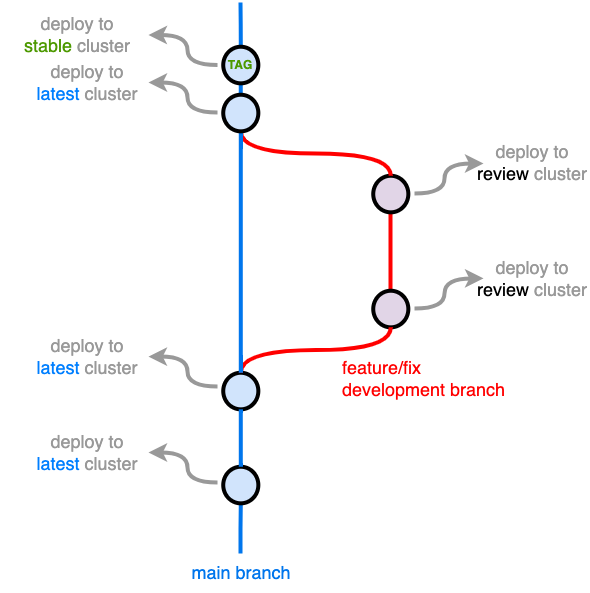
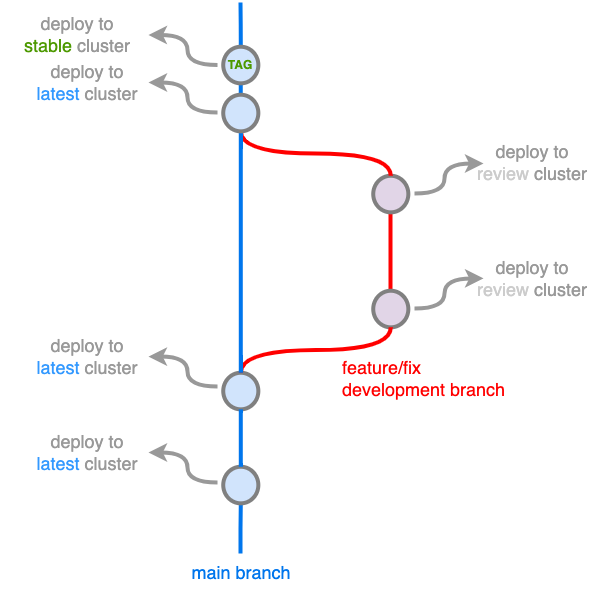
feature and fix branches are deployed to a review cluster and main branch (default) code is deployed to the latest and stable clusters.
This workflow helps us keep track of bugfixes, new features, and major changes without complex branching.
Development workflow
The following example shows how to use the workflow to make a change to a project.
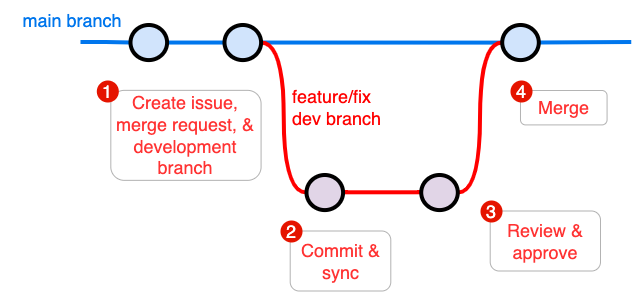
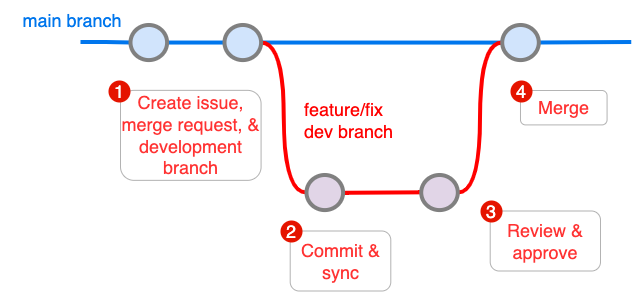
After cloning a project repository:
-
Create an Issue, a Merge Request (MR), and new branch for development
-
Create an Issue
for example:
updates README with project description -
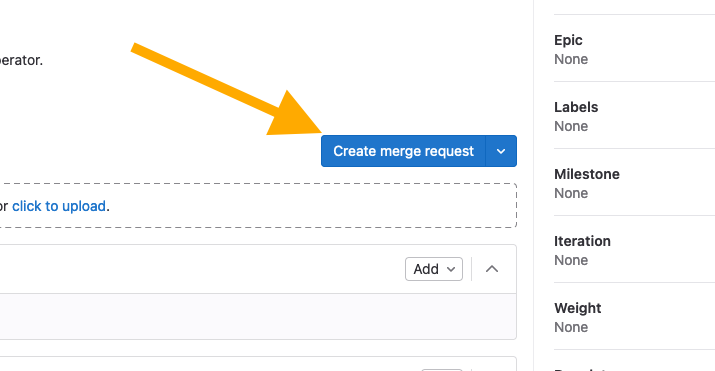
Create a Merge Request (MR) and a new branch
-
-
Checkout the new branch, develop, commit, and push
Pushing your code triggers a pipeline run. The pipeline builds an image, pushes the image to the project registry, and deploys the workload to a cluster for
review. -
When you are satisfied with your work, request a code review and approval
- Merge your work into the
mainbranch
Workload endpoints
mainbranch -->latestclustermainbranch with a git tag -->stablecluster- any branch other than
main-->reviewcluster
To automatically analyze and add git tags, include a semantic versioning keyword in your commit message. See semantic-versioning for more info.